
Background
More screen space is always nice, given the physical space to position it to your liking. I have gradually come to admit to myself that I pretty much always want more pixels on which to place my windows.
However, I also have a thing for what Apple calls retina resolutions - scaled modes where the operating system is using more than one physical pixel for each logical pixel, making everything that much sharper and nicer to look at. Macos can do a lot of different scaling, and it all looks pretty good. But the real gold is 2x mode, where each pixel is drawn using four physical pixels. It looks fantastic, but the downside is of course that it takes a lot of pixels to get a decent amount of room. It only struck me after I purchased my first 4K monitor that its "native" 2x mode only gave me the space of a full HD monitor (1920 by 1080 pixels). That is not a lot of space, and it looks kind of blown up on a 27-inch monitor. In the end, I used it mainly in native resolution. I thoroughly enjoyed all the space I got, but I was a bit sad about the lack of sharpness.
When that monitor died much too early from some kind of hardware problem (I got my money back without any problems, so all was good on that front), I felt very low on options. To get a good 2x retina resolution on a 27-inch screen, you need 5K resolution, which works out to 2560 by 1440 pixels - the same amount of space I have got used to from other monitors the same size.
The problem was, for some reason 5K panels are very few and far between. LG makes one - when you can find it - which has been poorly reviewed. Apple builds 5K panels into their Imac and also sells the same panel in their Studio display.
(They also make the rather crazy 6K Pro display XDR, but that one was and is firmly outside of my price range.)
Wanting to finally get a real retina screen, I bit the bullet, bought the Studio display, and have been very happy with it ever since.
However, I still kept my eye out. Surely more options would come out at some point?
And they did! At CES just at the start of 2023, Dell announced a monster called U3224KB. 32 inches, and not 5K but 6K resolution. Plus a prominent webcam, and bristling with ports (especially when compared to Apple's offerings). I am not sure a price had even been announced, but I immediately got in line for a review unit. A couple of months later, I suddenly had a message in my inbox telling me review units had arrived and asking for my shipping address.
Oh my, exciting times!
Perspective
This review is from the very specific perspective of me as a software developer, podcaster, and full-time Mac user. I own and use Apple's Studio display 5K monitor, and my usual work setup is to split windows between it, a Macbook's internal monitor, and sometimes also a 1440p 27-inch Dell monitor I keep in portrait orientation.
Setup
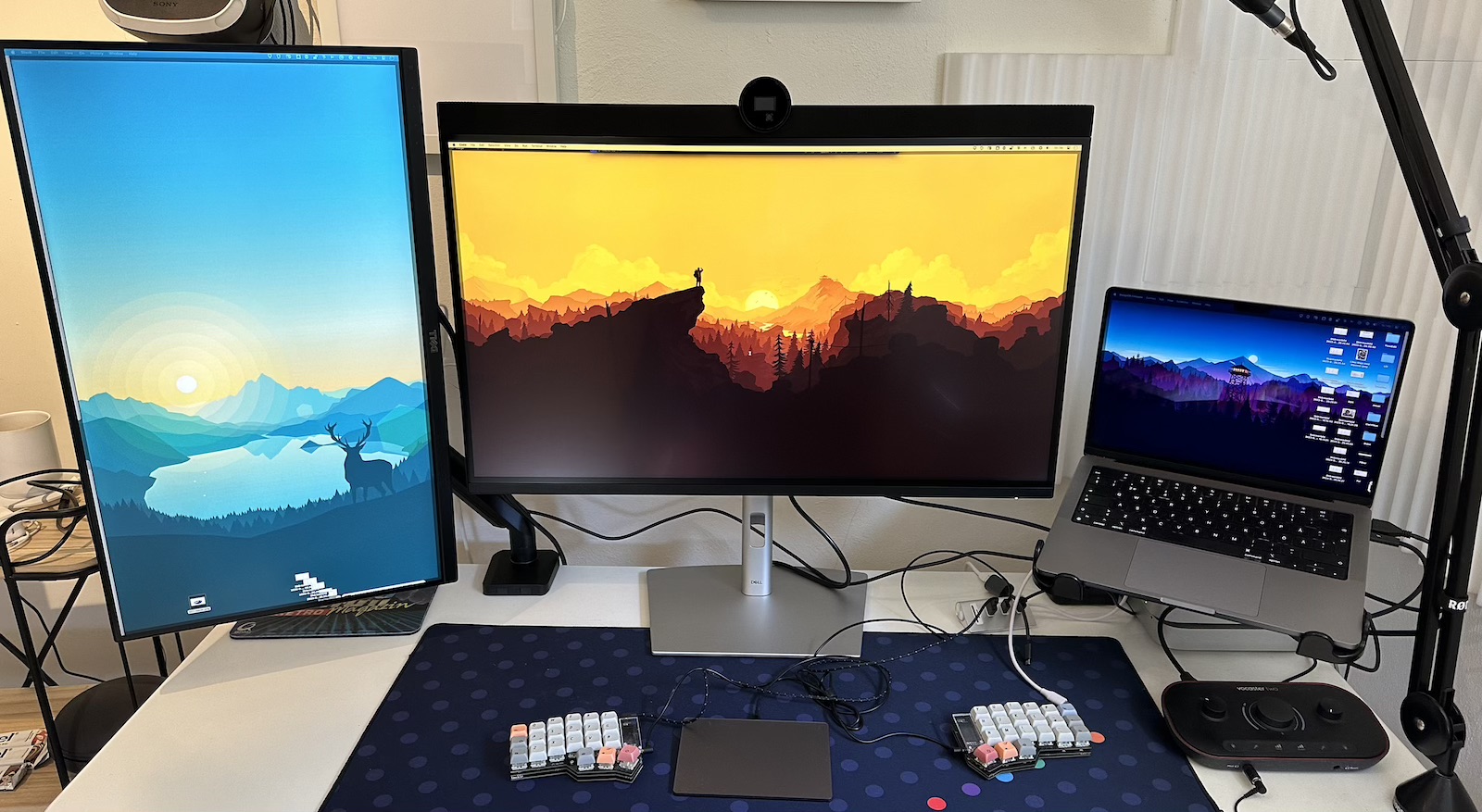
I made it very simple, and natural, for myself. When the monitor arrived, I simply removed the Studio display, placed the Dell 6K in the exact same spot, connected everything like before and set off.
First of all, the size difference took a surprising amount of time to sink in. Five inches is quite a lot of real estate, but when I did not have the two monitors side by side my mind just sort of slid away from the matter. However, the extra space for windows soon became obvious. Technically, I knew that Apple picked their resolutions and screen sizes to provide a common user interface size across screens set to the same scaled resolution. Switching to the Dell really drove that home, as the increase in physical screen size and display resolution worked out to everything appearing the exact same size on the Dell as on the Studio display (and also as on my non-retina vertical side monitor). So I would bring windows in and not be all that amazed because they would be exactly the same size as I was used to.
(The Dell is more matte than the Studio display, eliminating a noticeable amount of reflections and glare, but colours also pop less. This probably contributed a little bit to the muted first impression.)
But then, I would look around the windows I had dragged in, and realize that my space was nowhere near as full as I was expecting. There was space to spare everywhere! I have never been a window maximizer, but on a 6K surface few windows have the content to even motivate half the screen. Despite working with the monitor for two weeks, I still kept re-discovering that I did not need to tile or even overlap windows for most of my work - most of my workflows with multiple apps could easily fit everything side by side with room to spare.
My window placements became more dynamic and less overlapping the more used I got to the space. I would shuffle things around more depending on context, and doing so was quick and fun because finding space to put things never became an issue. One day I was watching a Youtube video in a floating picture-in-picture window covering about a quarter of the screen. The video looked great, and I had room to spare for everything else I was doing. But what struck me as outrageous in the best possible way was that that dumb video window had something like 3000 by 1600 pixels all to itself!
Ports
Dell realizes people can use ports. Many ports. Powerful ports. Power delivery to computers connected via USB-C is a nice standard. The U3224KB does not mess around, delivering up to 140W. My work Macbook pro came with a 67W power brick, just for comparison. Apples' current highest-end 16-inch Macbook pros come with 140W bricks, so Dell cleary knew who they were aiming for. Apart from that, it was bristling with ports on the back - including a very fast ethernet port - and came with a pop-out … tray? … drawer? … with two USB-C and a classic USB-A on the front as well.
Apart from the cable to my computer and ethernet, I only connected the small hub to which I connect my keyboard, pointing devices, and Vocaster audio interface. Oh yes, I did use one HDMI to connect my Switch as well, so I can confirm that even if the Switch does not make proper use of all the pixels, the U3224KB still makes for a beautiful Quake device.
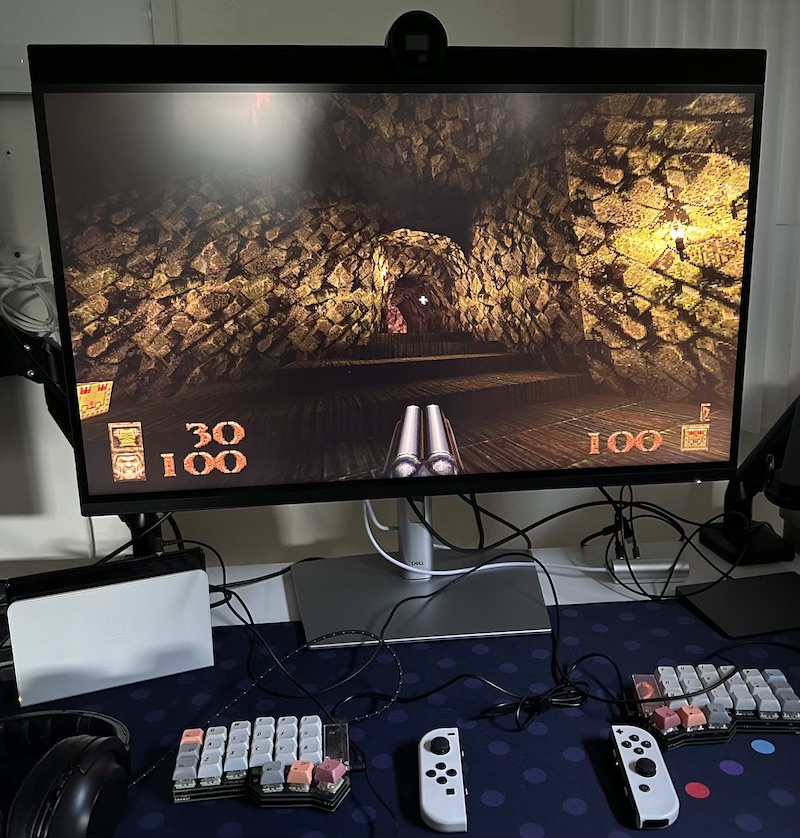
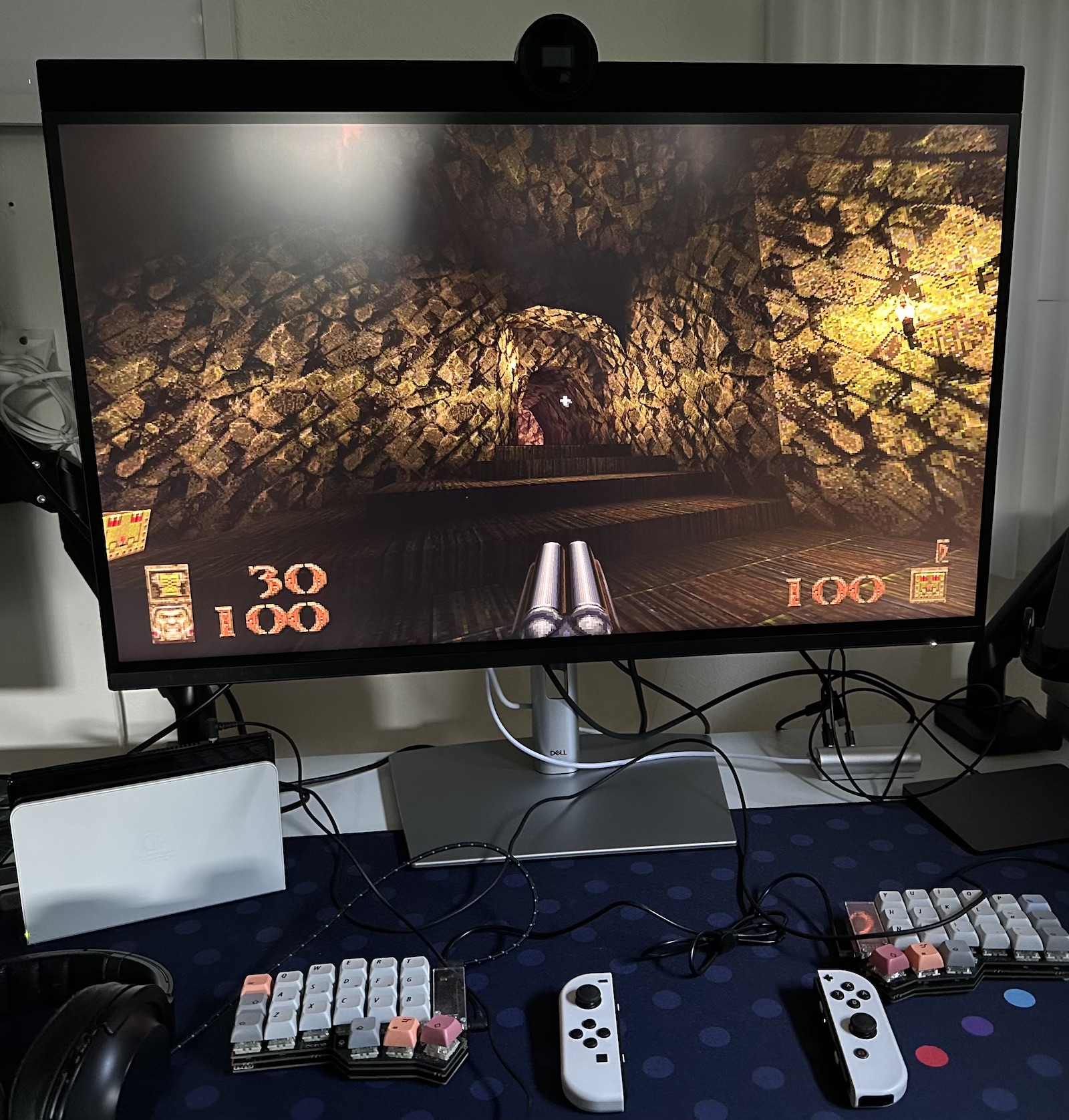 A walking study in demonology.
Otherwise, I have not played any games on this monitor. None of the rare gaming I do would provide any serious exercise for this monitor anyway.
Audio
I did not realize before I unpacked it that the entire top of the unit is a speaker, covered in soft speaker-type cloth and all. Once someone pointed it out to me, it is difficult to not see it as someone taking a standard Dell monitor and balancing a soundbar on top of it. Oh, and with a webcam protrouding in the middle, of course. More on that one below.
The speakers were by far the least exciting part of the whole package. The fairest thing I can say is perhaps that the sounded about as good as one might expect from builtin speakers. Here is the thing though: Why settle on that in a premium monitor like this one? I have been ruined by whatever voodoo Apple is doing in their modern hardware, because not only does Apple's Studio display sound significantly better than the U3224KB, the 14-inch Macbook pro does, too! Both provide a much fuller and more pleasing sound than the Dell. With both the Studio and the Macbook, I can happily choose to listen to things through the speakers and give my head a rest from headphones. With the Dell, the sound was just too bland for that to be an option.
Webcam and software
The webcam was an interesting beast. Some people complained about the whole "forehead" of the monitor being ugly. I stopped thinking about it in no time, and actually appreciated the look of the camera itself. It felt … solid, serious. Apple does impressive stuff for their computer cameras in software, but they so far refuse to put serious muscle into the hardware. The Studio display in particular, is saddled with a wide-angle lens used to enable panning and zooming at the expense of always looking smudgy and processed.
Therefore, simply looking at the Dell camera felt reassuring, and even a bit exciting. A true 4K camera, with no strange tricks about the lens. But the most lovely detail comes when you activate it. You see, both the camera lens and the microphone are covered by physical shutters. So whenever you turn them on, the shutters open with a lovely click. It made me think of expensive professional cameras every single time I was about to enter a video meeting.
And the picture was really good too, especially in the right light. This is how all webcams should look these days! Compared to the Studio display, sharpness and detail was everywhere. Colours looked good and natural too. Using Dell's free download "Dell display and peripheral manager" software, I could also enable some automatic panning and zooming - Apple-like but much more relaxed - and play with some other settings.
In less than ideal light conditions though, it seemed Dell's software could still use a bit of tweaking. The camera was actually really good at adjusting to changing light conditions, it just needed to start adjusting for my face rather than the background. The effect was that when I turned off the lights, the exposure would adjust so that my room looked almost the same as with the lights on, but my face would be totally over-exposed. Playing around with the webcam settings in DDPM - the above-mentioned app - helped a bit but not all the way. Perhaps a firmware update or two will do the trick? The hardware definitely seems to have everything needed already.
Speaking of DDPM, I was happily surprised to see it available for Mac. It does not look and behave very Mac-like, but it does the job and included a surprising amount of features for the curious to explore. Not only does it let you adjust all monitor settings you usually have to navigate with the joystick on the back of the monitor, it also provided webcam settings, and had a whole host of window-management features which I did not have enough time to really dive in to. They included defining various splits for the monitor, assigning keyboard shortcuts for window placement, dragging and dropping to resize and place windows, and a whole lot more.
However, playing with webcam settings seemed to be dangerous. Twice when I had done webcam adjustments and then gone into podcast recordings with video enabled, the whole monitor ended up locking up, forcing me to unplug it from power and also switch to a different port on my Mac (or reboot the Mac as well) to get everything going again. Very strange, but hopefully also a thing some software updates can fix. As long as I stayed out of DDPM, everything always felt rock solid.
Feelings
One feeling I had very early in my use of the U3224KB was something like relief that the monitor was not an option when I was looking around and ended up getting the Studio display. The Studio display was more than enough stretching of my budget, and the U3224KB would have been about 50% more expensive. But, that extra money really gets you something in this case. It gives you resolution and space you can pretty much only get elsewhere in the Apple's Pro display XDR. And that monitor is not quite 50% more expensive again, without a stand, and without all the ports and webcam the U3224KB packs in. Colours do pop more on the Studio display, and it has that Apple-type elegance to it. But the U3224KB is business instead, an amazing workhorse with space and ports to spare, and no money spent on strange dimming zones and outrageous brightness and colour accuracy like the XDR.
Working on that monitor, or simply sitting down in front of it, taking in a large and razor-sharp desktop background, sparked joy.
The only real dent in my experience were those strange lockups, and they made me wish I had time for a longer test. If they were indeed caused by DDPM, I would live completely happy with the monitor indefinitely, sometimes checking for software updates to see if the problem might be fixed. But if the problem ever occurred on its own, I would be seriously worried. Monitors really do need to be very solid to feel good. I think the U3224KB lives up to that and is just being let down a little by software which can use a few more tweaks, but it is hard to be sure.
At the time of writing this paragraph, it has been about a week since I returned the monitor. What is clear is that I really miss the extra space, and that it made a big difference to how I work and place windows. I sort of thought that I would work about the same with my windows on a 5K screen as the 6K, once I had got used to that freer and more dynamic placement. But the extra space clearly made all the difference. In one way, it is not strange that about 20% more space makes a big difference, but in another it still keeps surprising me. All that freedom and flexibility completely collapsed on itself, and I am now back to basically a big stack of centrally placed windows. Sure, there are windows which can be moved off-center, and it is silly to sound as if a 5K monitor lacks the space for side-by-side windows. But all windows end up behind other windows so much more that the amount of quick access and glancability is greatly diminished. Find the main window, tab through the pile to find the secondary window, drag it so that main and primary are both accessible, perform operations. Switch to next task, find main window, and so on.
Extra monitors do help, but to a surprisingly small degree as they can only hold a few windows each before collapsing into additional stacks.
So, yeah. 6K on your desk is not outrageous at all. And one larger screen does make a marked difference from multiple smaller ones.
8K? I think that could fit in as well, if I just cleaned up a bit more …
Will this thing - or its sequels - come down in price? I sure hope so, because everyone who works with computers should have this experience.